Tutorial 4: Modifying noise modules
We’ll be using code from Tutorial 3: Terrain Maps. If you haven’t read that, here is the code we ended up with
from pynoise.noisemodule import *
from pynoise.noiseutil import *

p = Perlin()
g = terrain_gradient()

nm = noise_map_plane_gpu(256, 256, 6, 10, 1, 5, p)
r = RenderImage(light_enabled=True, light_contrast=3, light_brightness=2)

r.render(256, 256, nm, 'terrain4.png', g)
Modifying the number of octaves
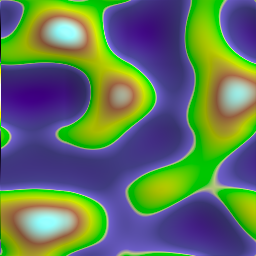
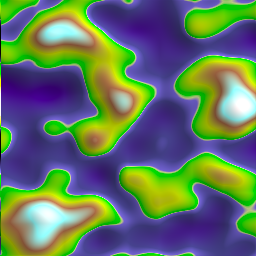
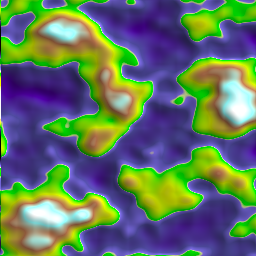
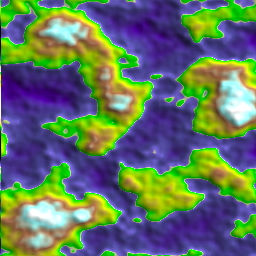
We have been using Perlin noise as our base noise. Perlin noise is a combination of several different ‘octaves’ of noise, all added together to create the final product. Each octave has an increasing frequency (how often structures in the noise repeat) and a decreasing amplitude (the range between the highest output value and the lowest output value). The Perlin module defaults to an octave count of 6.
Let’s change the octave counts of our Perlin noise and see what happens:
p = Perlin(octaves=1)
With 2 octaves:
p = Perlin(octaves=2)
With 3 octaves:
p = Perlin(octaves=3)
With 4 octaves:
p = Perlin(octaves=4)
With 5 octaves:
p = Perlin(octaves=5)
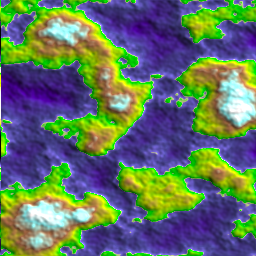
With 6 octaves:
p = Perlin(octaves=6)
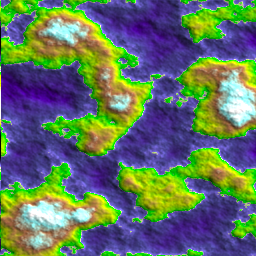
Modifying the frequency
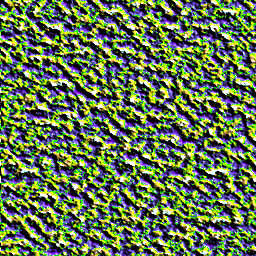
Next we’ll modify the frequency of the Perlin noise. The frequency determines how many changes along a unit length. Increasing the frequency adds to the number of interesting features in the noise, which also making each feature smaller as more are packed into a given area. For these example we will set the octaves back to the default of 6. The default frequency is 1.
At a frequency of 1:
p = Perlin(frequency=1)
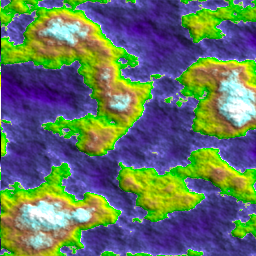
At a frequency of 2:
p = Perlin(frequency=2)
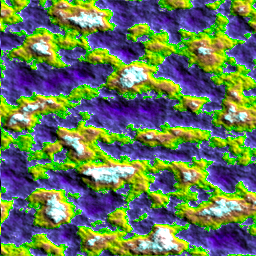
At a frequency of 4:
p = Perlin(frequency=4)
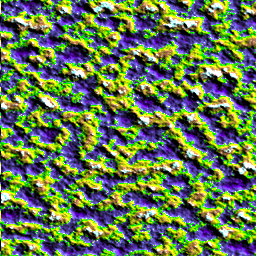
At a frequency of 8:
p = Perlin(frequency=8)
Modifying the persistence between octaves
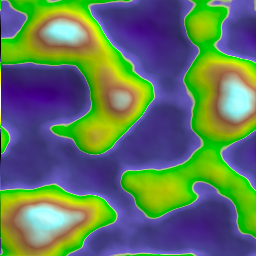
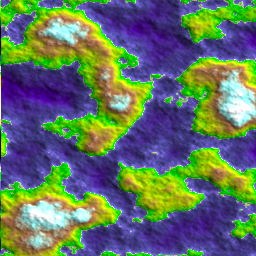
And lastly, we will modify the persistence variable. Persistence determines how quickly the amplitudes decrease between each octave. An increased persistence will produce a rougher noise output, whereas a decrease persistence will result in smoother noise maps. The default is 0.5, and you get the best results when it ranges between 0 and 1.
At a persistence of 0.25:
p = Perlin(persistence=0.25)
At a persistence of 0.5:
p = Perlin(persistence=0.5)
At a persistence of 0.75:
p = Perlin(persistence=0.75)

Conclusion
All of these base noises have these three features, and they all modify the base noises in a similar way. Feel free to experiment and come up with something cool.